Before we start the blog, make sure you have the latest version of Bricks and the documentation works for every product with remote functionality. Example: Wireframe, Headers, Footers.
PHP max execution time: 120 Secs.
WP Memory Limit: 256M.
PHP Version: 8.0 or 8.0+ is recommended.
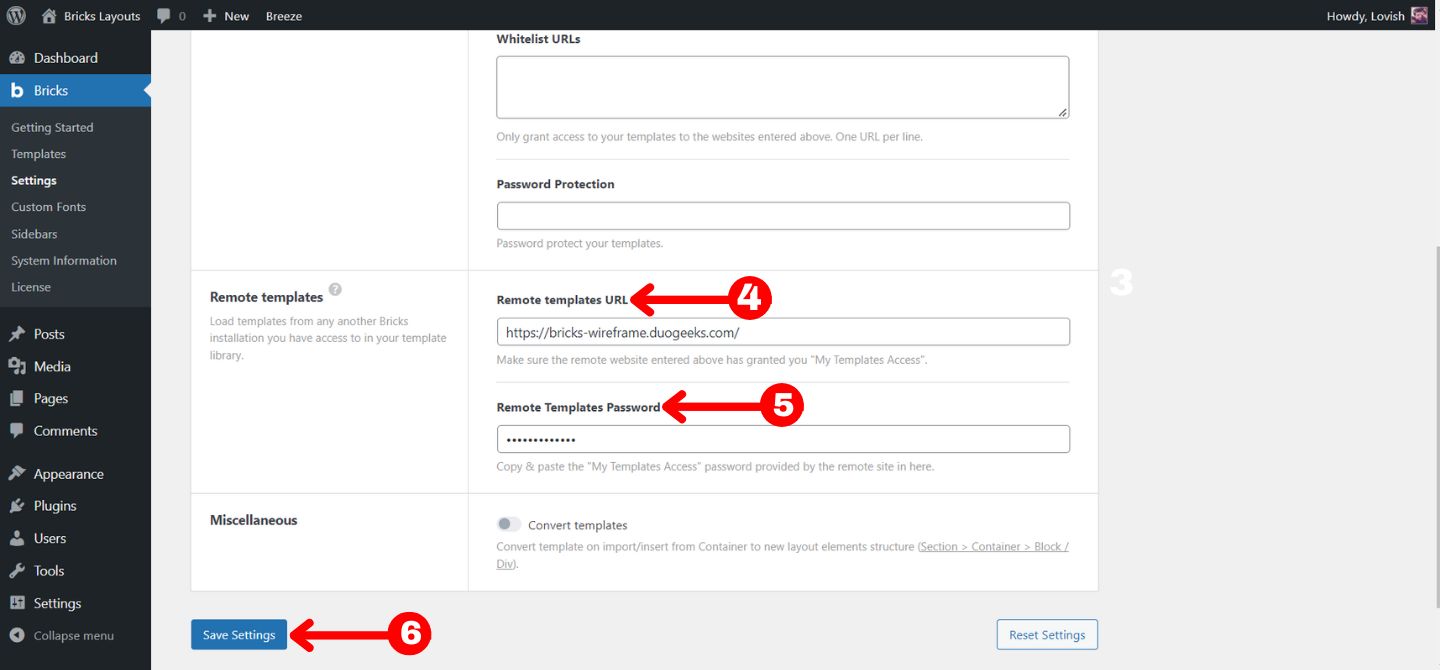
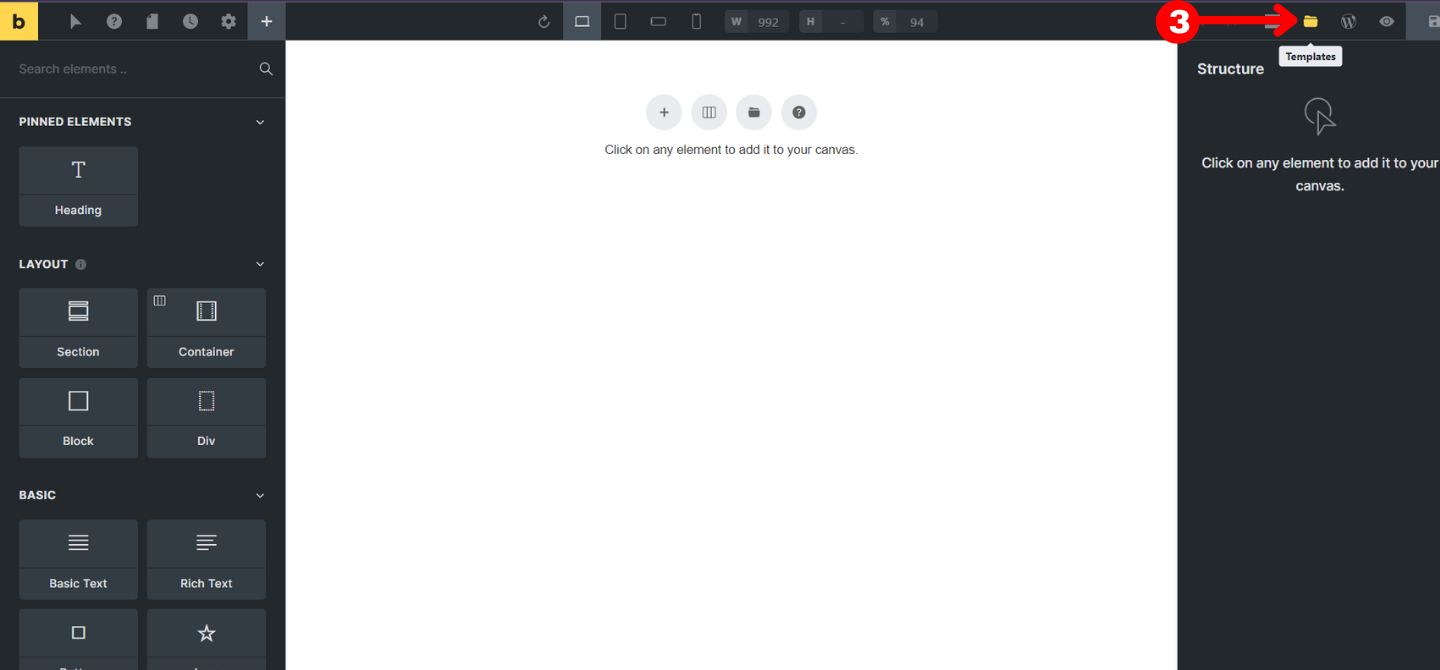
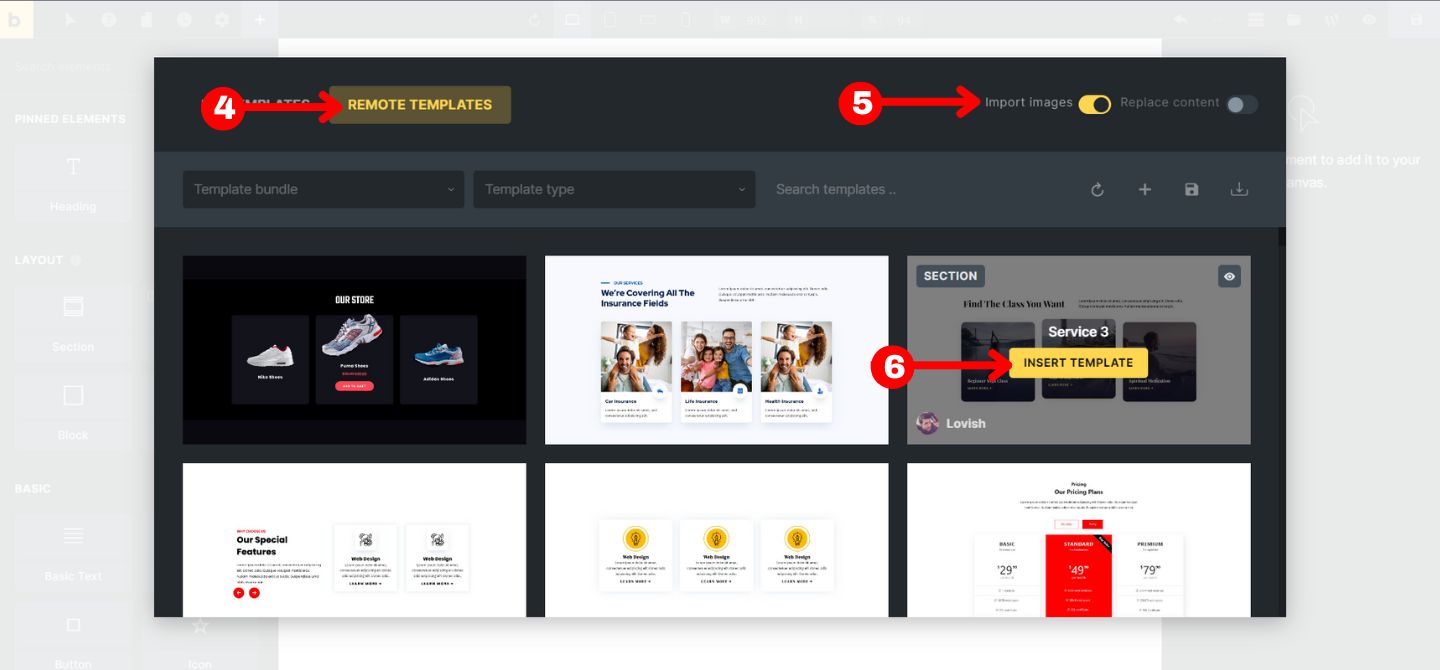
1. Once you have purchased the product, go to the member area and download the .zip file and unzip it to get the .txt file.
It will contain two things URL and Password.
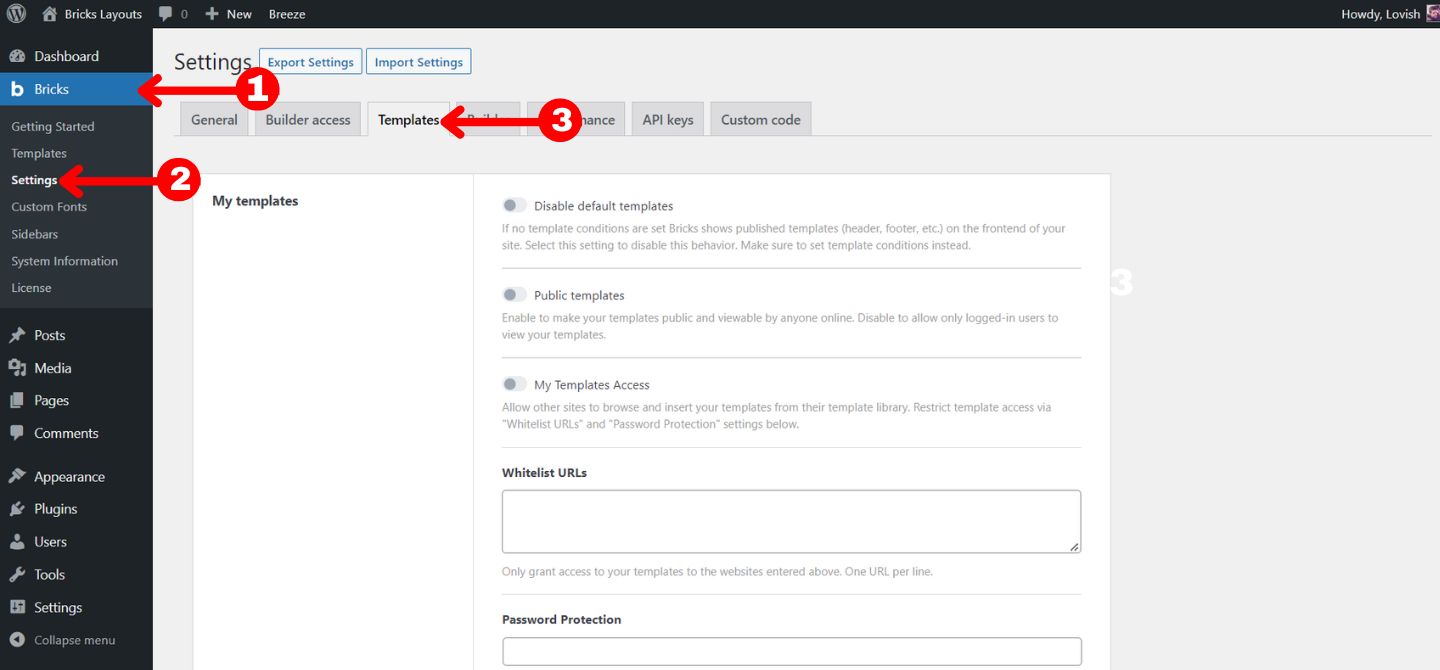
2. Once you have it head towards Dashboard > Bricks > Settings > Templates.
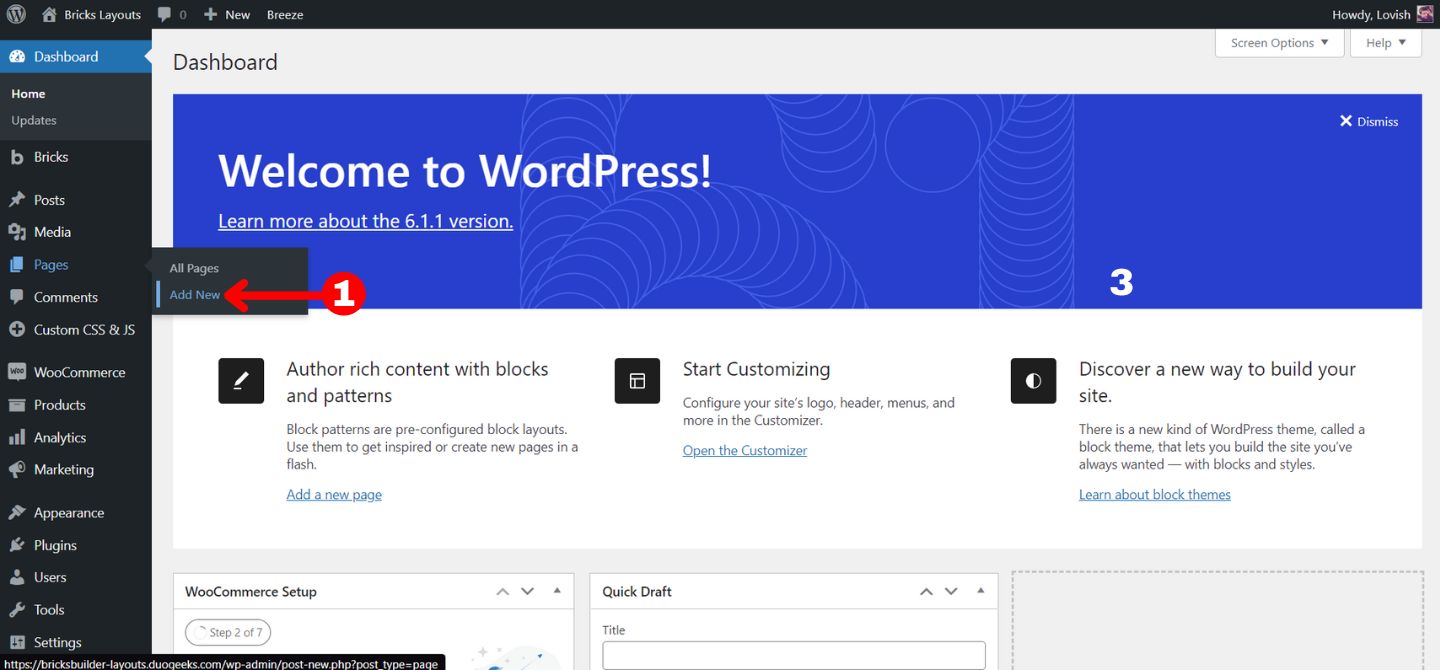
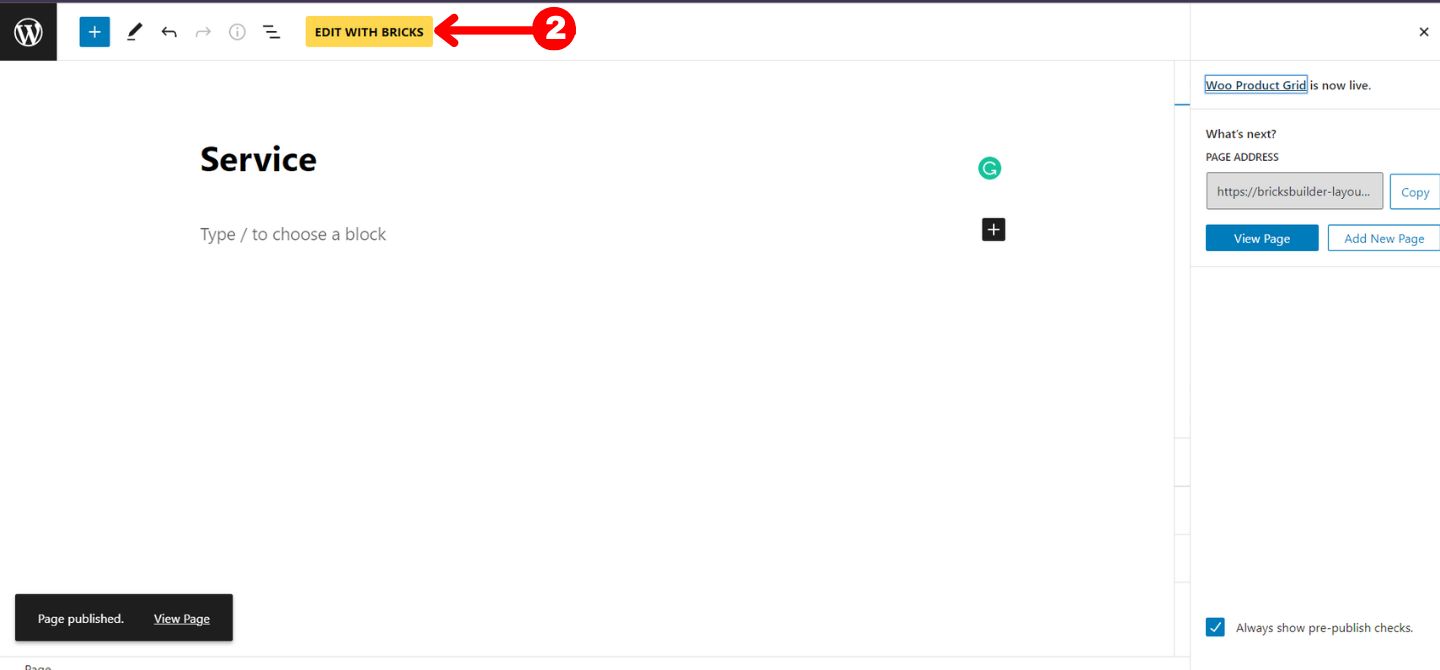
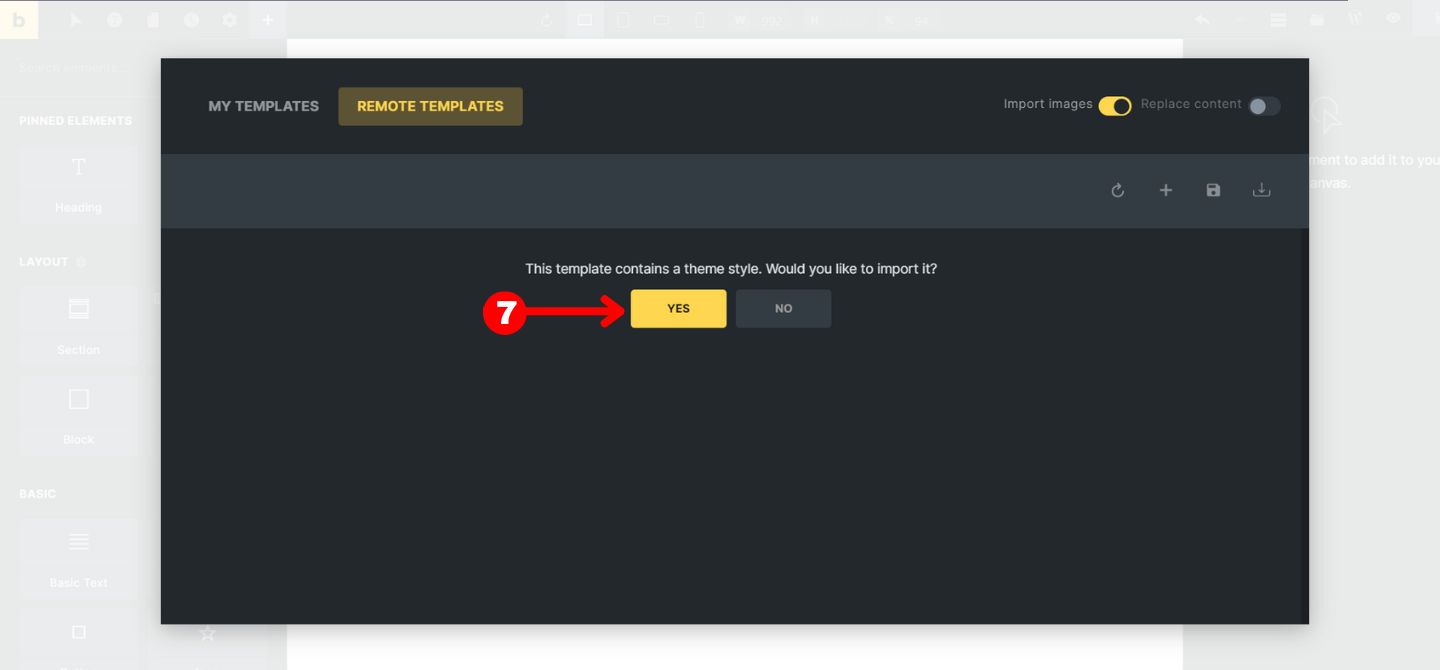
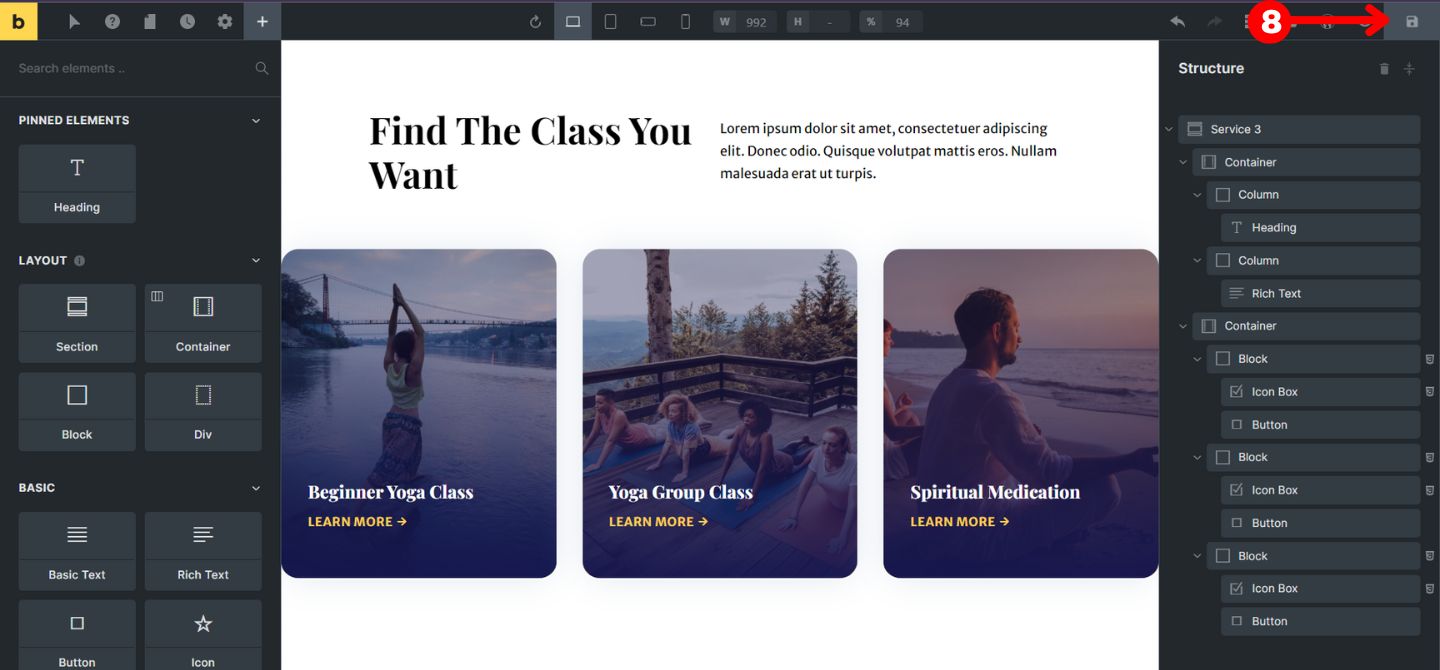
9. Boom you are done. Edit the template or save the changes.
WordPress database error: [You have an error in your SQL syntax; check the manual that corresponds to your MySQL server version for the right syntax to use near ')) AND p.post_type = 'docs' AND tt.taxonomy = 'doc_category' AND tt.term_id IN (' at line 1] SELECT p.ID FROM wp_posts AS p INNER JOIN wp_term_relationships AS tr ON p.ID = tr.object_id INNER JOIN wp_term_taxonomy AS tt ON tr.term_taxonomy_id = tt.term_taxonomy_id WHERE p.ID = '0' AND p.ID < 6193)) AND p.post_type = 'docs' AND tt.taxonomy = 'doc_category' AND tt.term_id IN (5) AND p.ID NOT IN ( SELECT tr.object_id FROM wp_term_relationships tr LEFT JOIN wp_term_taxonomy tt ON (tr.term_taxonomy_id = tt.term_taxonomy_id) WHERE tt.term_id IN (0) ) AND p.post_status = 'publish' ORDER BY p.post_date DESC, p.ID DESC LIMIT 1
WordPress database error: [You have an error in your SQL syntax; check the manual that corresponds to your MySQL server version for the right syntax to use near ')) AND p.post_type = 'docs' AND tt.taxonomy = 'doc_category' AND tt.term_id IN (' at line 1] SELECT p.ID FROM wp_posts AS p INNER JOIN wp_term_relationships AS tr ON p.ID = tr.object_id INNER JOIN wp_term_taxonomy AS tt ON tr.term_taxonomy_id = tt.term_taxonomy_id WHERE p.ID = '0' AND p.ID > 6193)) AND p.post_type = 'docs' AND tt.taxonomy = 'doc_category' AND tt.term_id IN (5) AND p.ID NOT IN ( SELECT tr.object_id FROM wp_term_relationships tr LEFT JOIN wp_term_taxonomy tt ON (tr.term_taxonomy_id = tt.term_taxonomy_id) WHERE tt.term_id IN (0) ) AND p.post_status = 'publish' ORDER BY p.post_date ASC, p.ID ASC LIMIT 1
Hi, when I access the templates via Bricks I see the Layouts for the individual types such as Doctor or Hotel, but I do not see the individual Header layouts. I am looking for Header 10 for instance and don’t see those layouts.
Hi Lovish,
I am trying to access a template and its not even showing up in my templates. I have followed your guide but it is still not working. I also found I had to enable my templates in the ssettings area and I have done that too. What am I doing wrong?



The settings page is just loading when I hit save. Is there any problems with your server?
It’s working fine now.
The new layouts never can see in remote layout templates. I tried hit refresh button, but nothing.
Thanks for the reply, we have updated the remote templates, please check now.
Thanks
Hi, when I access the templates via Bricks I see the Layouts for the individual types such as Doctor or Hotel, but I do not see the individual Header layouts. I am looking for Header 10 for instance and don’t see those layouts.
Hey Jeff,
That’s inside the wireframe not in the layouts.
Thanks
Hi Lovish,
I am trying to access a template and its not even showing up in my templates. I have followed your guide but it is still not working. I also found I had to enable my templates in the ssettings area and I have done that too. What am I doing wrong?
Hello Jude,
Can you please tell me which template you want to import and please give me website login details?
Thanks!
I just updated the credentials. Nothing is showing in the “remote templates” section.
Please can you connect in the live chat so we can help you?
Thanks